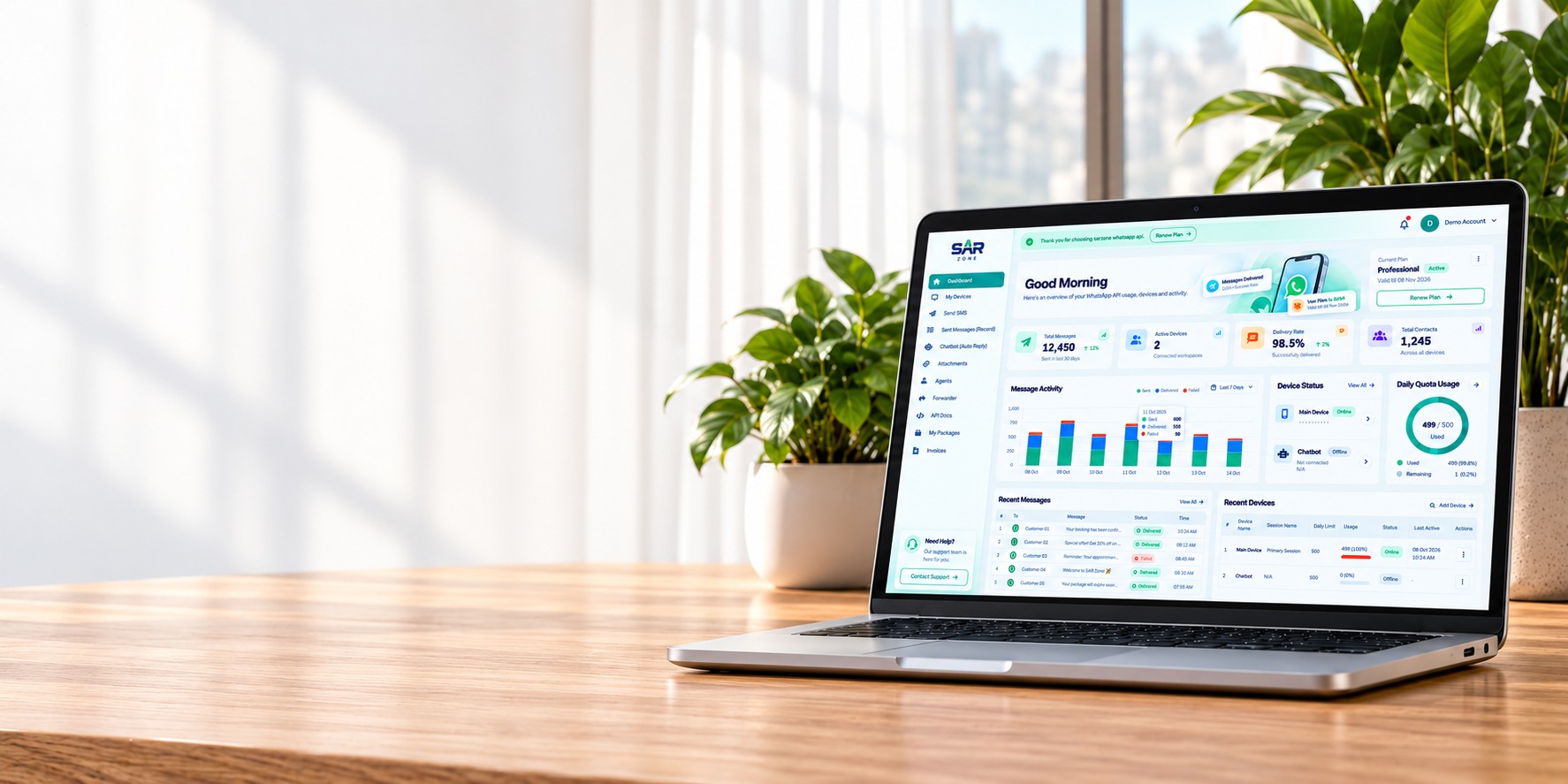
SAR ZONE demo dashboard on a laptop resting on an oak desk, with real plants in a bright office

WhatsApp Messaging Platform

Power Your ERP with WhatsApp

Connect your ERP, CRM or business software to WhatsApp. Send order updates, payment reminders and customer notifications through our API, automate replies and bring your support team into the conversation.

Device ManagementConnect and monitor sessions
Flexible MessagingText, media and location
API & WebhooksIntegrate your own systems
Help & SupportGuidance when you need it

Business Use Cases

Used by Businesses Across Industries

Whether you run a store, provide services or manage operations, SAR ZONE helps you stay connected.

Parcels and a phone at an online shop packing counter

E-commerce

Order updates, confirmations and customer support.
Passenger airplane taking off beside a turquoise coast

Travel & Tours

Bookings, itineraries and real-time notifications.

Contemporary home surrounded by landscaped gardens

Real Estate

Inquiries, property updates and client follow-ups.

Hotel reception with warm wood and teal seating

Hospitality

Reservations, confirmations and guest support.

Visual Automation

Build WhatsApp Journeys
Without Writing Code

Create connected chatbot flows in the SAR ZONE editor and decide exactly how customers move through messages, media and list options.

  • Greeting and trigger-based responses
  • Text, media and interactive list nodes
  • Agent assignment and message forwarding
  • Clone, edit, activate and monitor flows
Start 3-Day Trial
Your BusinessOnline
Welcome! πŸ‘‹
How can we help you today?

Choose an option:
1. Product information
2. Order assistance
3. Talk to an agent

Powered by your SAR ZONE flowSelect an Option
Interactive ListImage + options can be configured from your flow editor.
Auto Replies
List Messages
Agent Routing
Forwarders

Built for Daily Operations

Control Every Device from One Portal

See connection state, message usage, package limits and recent activity without switching between tools.

Secure QR AccessConnect directly or share a short-lived QR link.
Daily Quota ControlTrack limits and remaining messages per device.
Operational AnalyticsReview activity, devices, contacts and usage.
Integrated SupportAccess help articles and contact support.

Pricing

Plans for Every Business

Start with a three-day free trial and choose the package that fits your business.

Prices in PKRSaved Package Plans

Free Demo

Full platform access for your three-day trial.
Free / 3 days
Features

βœ… Includes everything in WhatsBot Lite.
βœ… One-Way API Access (Send messages from external software).
βœ… Advanced chatbot features:

  • πŸ“₯ Captures customer queries through predefined options.

  • πŸ“² Forwards customer queries (with details) to another number.

  • 🏒 Multi-department support (Each department gets relevant queries).
    βœ… Best for businesses needing limited API access for notifications & query forwarding.

Start 3-Day Trial

WhatsBot Lite (Basic WhatsApp Chatbot)

Monthly package billed in Pakistani Rupees.
PKR 3,000 / monthly

πŸ”Ή Standalone chatbot (No API access).
πŸ”Ή Allows users to add:

  • πŸ“‚ Files

  • πŸ“ Location

  • πŸ”— Links

  • πŸ–ΌοΈ Images

  • πŸŽ™οΈ Voice notes

  • πŸ“Ή Videos
    πŸ”Ή Best for automatic replies with fixed details.
    πŸ”Ή Suitable for small businesses, autoresponders, and FAQs.

Get Started

WhatsBot Connect (Chatbot + One-Way API)

Monthly package billed in Pakistani Rupees.
PKR 6,000 / monthly

βœ… Includes everything in WhatsBot Lite.
βœ… One-Way API Access (Send messages from external software).
βœ… Advanced chatbot features:

  • πŸ“₯ Captures customer queries through predefined options.

  • πŸ“² Forwards customer queries (with details) to another number.

  • 🏒 Multi-department support (Each department gets relevant queries).
    βœ… Best for businesses needing limited API access for notifications & query forwarding.

Get Started

Built for Daily Operations

One Platform, Multiple Business Workflows

Use SAR ZONE for direct messaging, automated conversations and team-based customer communication.

Explore Features
Customer SupportHandle conversations with chatbot flows, agents and forwarding.
Operational UpdatesSend text, media and location messages from the dashboard or API.
Multi-Device ManagementMonitor connected devices, sessions, daily quotas and message activity.

Platform Capabilities

The Tools Available in
Your SAR ZONE Portal

Manage connected WhatsApp devices, messaging, automation, teams and usage from one dashboard.

Explore Automation

Devices & Sessions

Add WhatsApp devices, scan or securely share QR access, monitor status and control daily limits.

β†’

Text, Media & Location

Send individual WhatsApp messages with text, attachments or map coordinates from the portal.

β†’

Message Records

Review sent message history, recipients, content, message types and device activity.

β†’

Visual Chatbot Flows

Create automated reply journeys with messages, lists, media and connected response paths.

β†’

Agents & Forwarding

Route incoming conversations to support agents or forward messages to selected destinations.

β†’

API & Webhooks

Use your authentication key and webhook endpoints to connect SAR ZONE with your applications.

β†’

Frequently Asked Questions

Got Questions? We've Got Answers.

Find quick answers about connecting devices, messaging, automation and account management.

SAR ZONE is a WhatsApp messaging platform for managing connected devices, sending messages, building automated chatbot flows and integrating business systems.
You can send text, media and location messages. Chatbot flows can also include text, media and interactive list nodes.
Create a device from your dashboard and scan its QR code with WhatsApp. You can also use the secure, short-lived QR sharing option when needed.
Yes. The customer portal includes API documentation, authentication details and webhook guidance for integrations.
Use the visual flow builder to connect greeting, trigger, text, media and list nodes, then activate the flow for a selected device.
Supported packages can use agents and forwarding tools to route customer conversations to the right person or destination.
Your selected package controls available devices, enabled features and daily message quota. Usage is visible in the customer dashboard.
The Help & Support area provides setup guidance, common answers and direct WhatsApp or email support options.

Start with SAR ZONE

Ready to Connect Your WhatsApp Workflow?

Choose a package, connect your device by QR code and manage messaging, automation and usage from one portal.
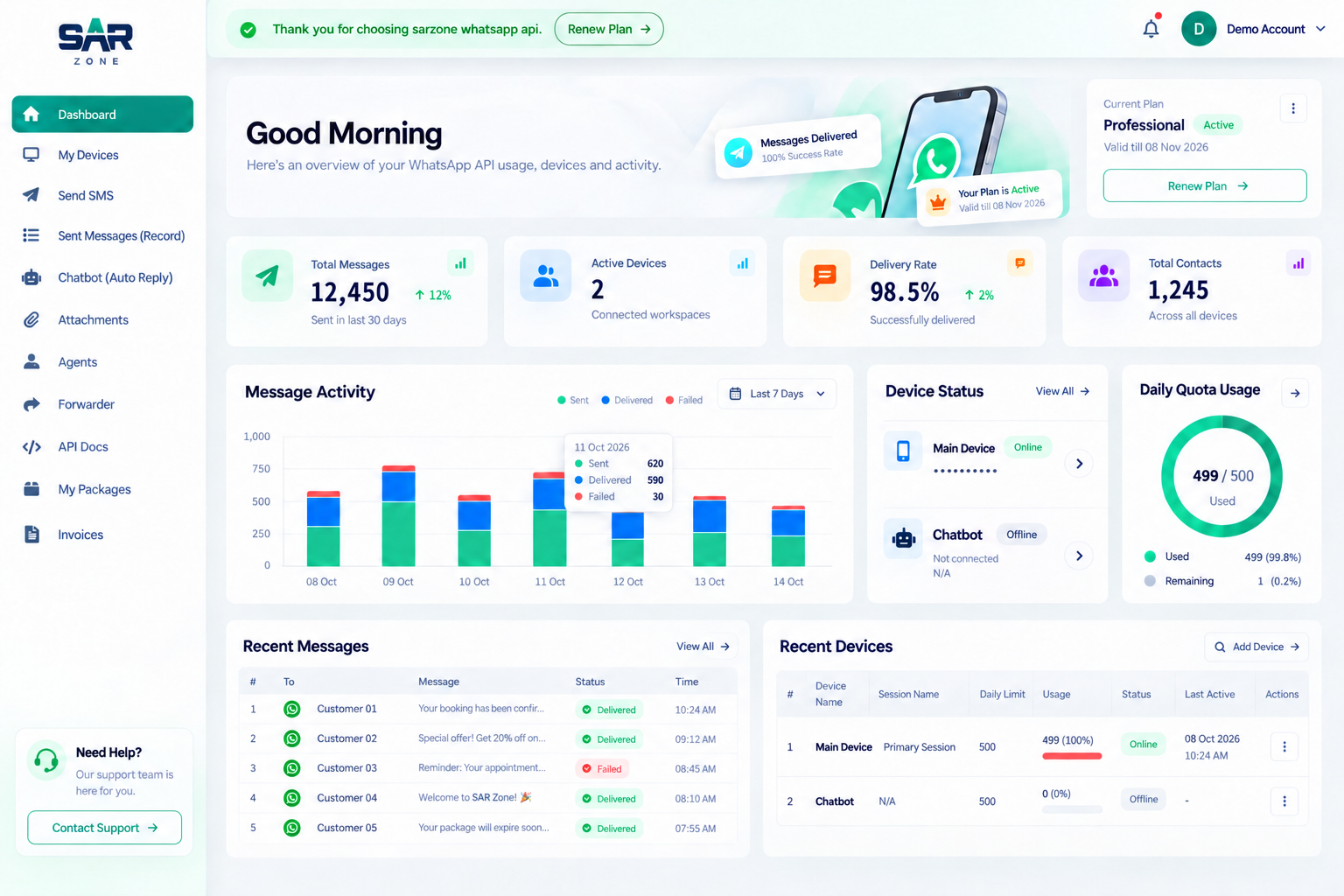
SAR ZONE customer portal dashboard